Initial Connection to MaestroDMX via Any Device
Connect to the MaestroDMX Web App either over its dedicated WiFi network or via a hardwired ethernet connection.
Wireless Connection
After the MaestroDMX is powered on the USB dongle will serve up its own network with the SSID: Maestro-XXXXXX. Your MaestroDMX unit will have a unique string of 6 characters to replace the XXXXXX.
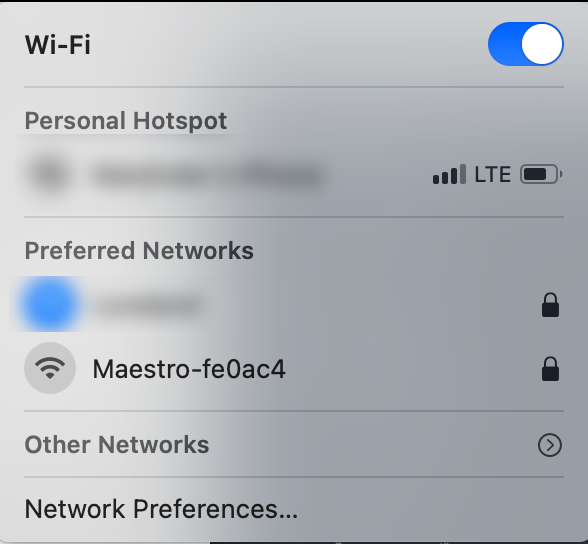
SSID: Maestro-XXXXXX
Network password: ‘mymaestro’
Connecting to the Web App
Once users have established a connection to the MaestroDMX, whether through a wired or wireless connection, follow these steps to access the MaestroDMX Web App:
Open your device’s web browser (PC, tablet or smartphone).
In the browser's address bar, enter the following URL: http://maestro.local or scan the
Alternatively, if you encounter connection issues, enter http://192.168.37.1 into the browser for a wireless connection to the web app or http://10.0.0.200 for a hardwired Ethernet connection to the Web App.
After entering the URL, you will be directed to the MaestroDMX Web App interface.
IMPORTANT: It is not recommended to rely on a direct WiFi connection to the MaestroDMX unit for performances where a persistent connection to the unit is required. Noise in the RF environment may cause disconnections.
Was this article helpful?
That’s Great!
Thank you for your feedback
Sorry! We couldn't be helpful
Thank you for your feedback
Feedback sent
We appreciate your effort and will try to fix the article