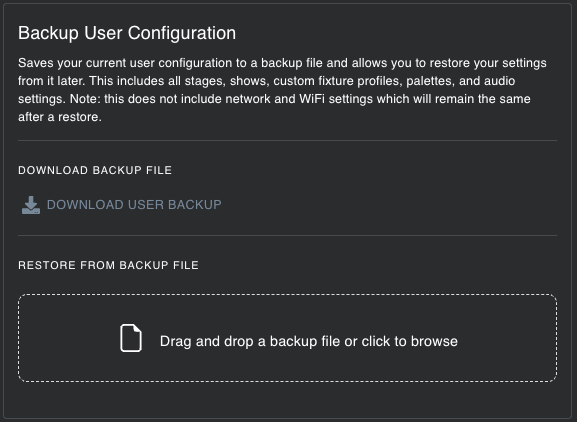
Navigate to ‘System’->’Backup And Restore’ to save/load your system settings or to factory reset your MaestroDMX unit.
Back Up All of Your Data
‘Backup User Configuration’ saves your current user configuration to a backup file and allows you to restore your settings from it later. This includes all stages, shows, uploaded fixture profiles, color palettes, FX Palettes, and audio settings.
You can use this backup file at a later time to either restore your current MaestroDMX unit or to sync up another unit with the same settings.
Note: this does not include network and WiFi settings, which will remain the same after a restore.
Factory Reset
A factory reset removes all your settings, including show cues, stages, fixtures, and user fixture profiles. Before proceeding, ensure you have backed up any important settings you wish to keep.
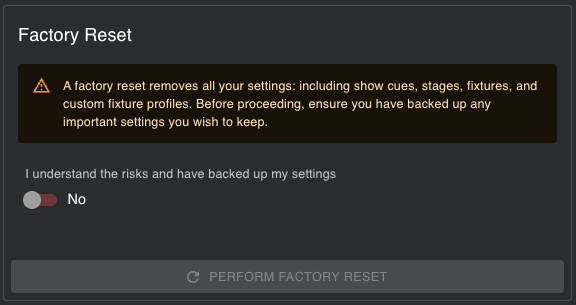
IMPORTANT: Factory Reset will erase any Stages, User Fixture Profiles, Shows, FX Palettes, and Color palettes that you have created. Be sure to download a user backup before.
Was this article helpful?
That’s Great!
Thank you for your feedback
Sorry! We couldn't be helpful
Thank you for your feedback
Feedback sent
We appreciate your effort and will try to fix the article